Instagram Auto Reply Setup: Common Issues and Solutions
Instagram's auto reply feature can significantly enhance customer engagement and streamline communication for businesses. Below is a comprehensive guide that addresses common issues users face while setting up this feature.
Understanding Instagram's Auto Reply Feature
Overview of Auto Reply Functionality
The auto reply feature allows businesses to automatically respond to direct messages received on their Instagram profiles. This functionality benefits brands by ensuring customers receive prompt responses, improving overall customer satisfaction. For example, many companies utilize this tool during peak hours when human agents may not be available, thereby providing immediate assistance.
Real-World Case Studies Showcasing Effective Use of Auto Replies
A popular e-commerce brand leveraged Instagram’s auto reply capabilities to handle frequently asked questions regarding order statuses. They reported a 30% increase in customer satisfaction ratings within a month of implementing automated replies, demonstrating the effectiveness of timely communication.
Setting Up Your First Auto Reply Script
Step-by-Step Guide to Initial Configuration
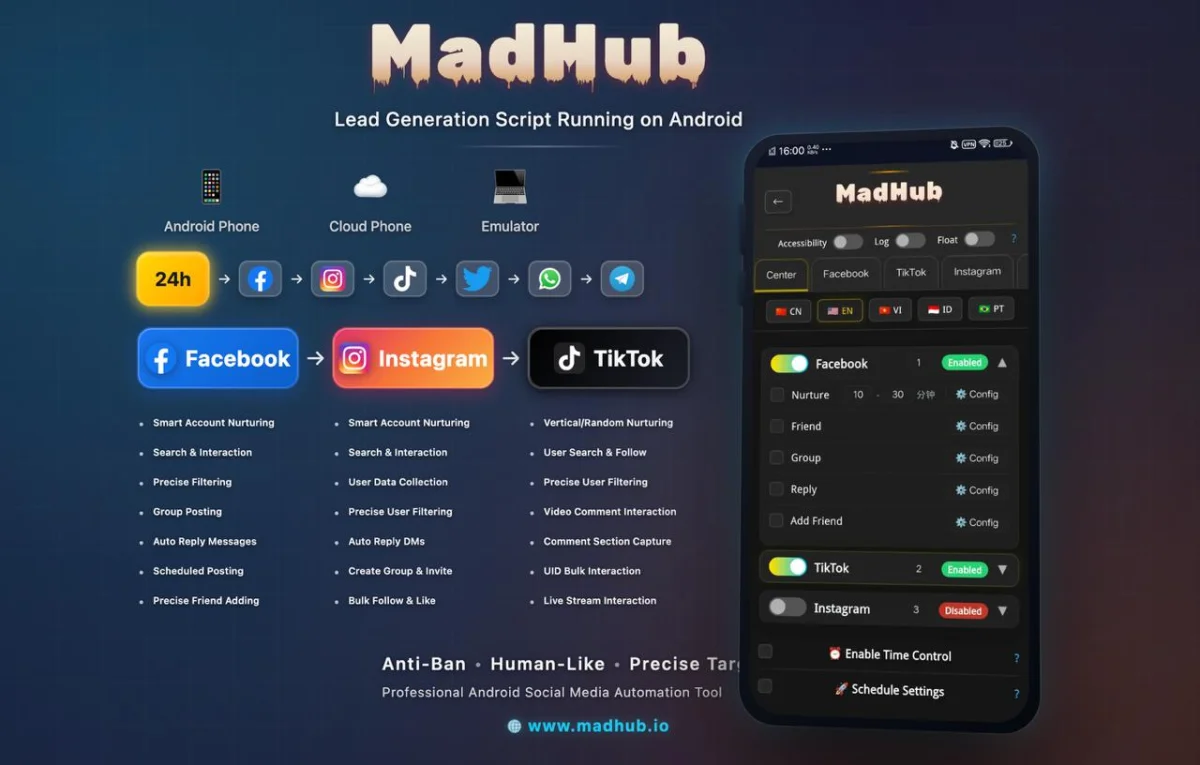
To set up your first auto reply using MadHub:
- Access the MadHub Interface: Install MadHub on your Android device or cloud phone.
- Navigate to Auto Reply Settings: Once logged in, select the 'Auto Reply' option from the main menu.
- Set Parameters:
- Response Templates: Create templates based on common inquiries (e.g., business hours).
- Timing Configurations: Adjust how quickly responses should be sent out after receiving messages.
- Activate Your Script: Save your settings and enable the script for it to start functioning immediately.
Customizing Responses for Different Scenarios
Crafting Effective Reply Messages
When writing auto-reply messages:
- Keep them concise yet informative.
- Personalize responses where possible; addressing customers by name can add a personal touch.
Examples of Tailored Responses for Common Scenarios
- FAQs: “Thank you for reaching out! Our store hours are 9 AM - 5 PM EST.”
- Product Inquiries: “Hi there! We have several options available; could you specify which product you're interested in?”
Troubleshooting Common Issues with Auto Replies
Identifying and Resolving Frequent Problems
Users often encounter specific issues such as replies not sending timely due to delays in configurations.
Step-by-step Troubleshooting Process:
- Check if your internet connection is stable.
- Verify settings within MadHub; ensure templates are correctly established without errors.
- Restart your device if necessary—this can sometimes refresh connections and resolve minor glitches.
Advanced Features in MadHub’s Auto Reply Tool
Utilizing Advanced Settings for Better Engagement
MadHub offers advanced features like scheduling replies at different times throughout the day or supporting multiple languages based on user preferences.
For instance, a business targeting international markets used multi-language support successfully by programming relevant response scripts tailored for each language demographic they serve, enhancing global reach and engagement rates.
Monitoring Performance of Your Auto Replies
Analyzing Customer Interaction Data
To assess effectiveness:
- Utilize analytics tools included within MadHub that track message delivery rates and customer interactions.
- Compare engagement levels before and after implementing automated replies—this gives insight into what works well versus needs adjustments.
Best Practices for Maintaining a Professional Image with Auto Replies
Ensuring Consistency and Brand Voice
Always align automated responses with your brand voice—whether casual or formal—to maintain consistency across all channels.
Regular reviews are vital; update scripts periodically as services change or new FAQs arise—ensuring information remains accurate over time improves credibility among customers seeking reliable contact points throughout their interactions with your business online!
Integrating Other Automation Tools with Instagram’s Messaging System
Enhancing functionality through complementary tools ensures more robust performance without needing extensive scripting knowledge—a big advantage offered by MadHub’s user-friendly graphical interface designed specifically for Android devices enabling continuous use via smartphones or emulators around the clock!
By following these guidelines, businesses can effectively harness Instagram's auto-reply feature through MadHub—enhancing customer interaction while optimizing operational efficiency significantly!